Compatible with Chrome and Edge
Instruction Guide
We have a simple tutorial guide which explains the features of the software extension and what each button inside the extension does. Read our tutorial and welcome guide on how to use the extension to the fullest. Use all the features of this browser software.
If you are interested in other web extensions to install, you might wish to check out the Microsoft Bing Search with Rewards extension.
Microsoft Bing Search with Rewards Extension
It allows you to complete daily offers to get points.
Track the number of points you have currently and the rewards you can redeem with these points.
The ways to get points & get rewarded is search with Bing, browse with Microsoft Edge and shop at the Microsoft and Windows stores to earn rewards.
Sponsored Link:
Other useful extensions
Another extension which would be useful to install is the iCloud bookmarks extension.
It allows to keep your Chrome bookmarks on Windows synced up with the Safari bookmarks on your iPhone, iPad, and Mac.
iCloud will store your website bookmarks so it is accessible even on your iPhone and Mac.
Try these other two extensions and see if it will boost your daily productivity.
FREE! Advanced tab manager for your browser.
Features:
Install and open.
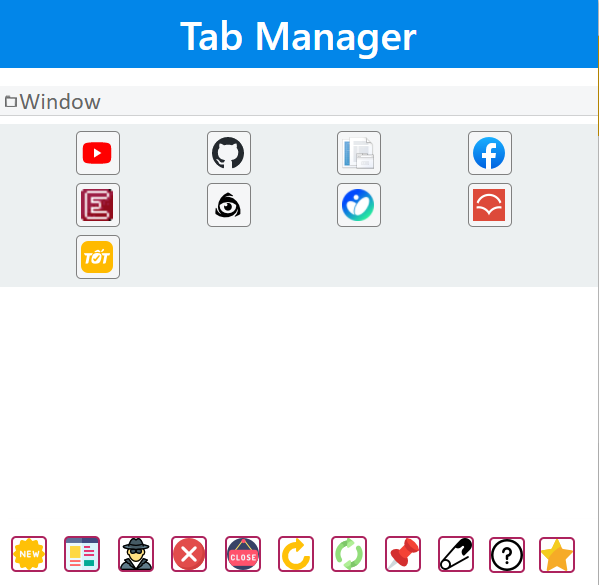
- After installing the extension. You click on the icon and can adjust the tabs/modify your tabs.
Tabs are a great way to display content and information. They are used in many websites, especially those that offer lots of information. Tab managers make it easy to organize your tabs into groups, making the tab experience more organized, intuitive and productive.
The benefits of using a tab manager software include:
Easy to use - Tab manager software is easy to install and doesn't require any training or prior knowledge of coding. This makes them ideal for users who want to quickly start using tabs without having to learn how to code them in HTML or CSS.
Customizable - Tab management software allows you to customize the layout of your tabs by changing their position, size and color according to your preferences. It also allows you to set different colors for different types of tabs (i.e., links or buttons).
Easily accessible - You don't have to manually add links every time you want one; just click on the button where you want it placed on the page and let the software do its job!
Tab Wrangler (Chrome extension)
This extension is one of the most popular ways to keep tabs under control in Chrome. It lets you organize tabs into groups, drag them around, and minimize them so they're hidden at the bottom of your browser window until you need them again. You can also set up keyboard shortcuts to do things like close or move tabs without having to reach for your mouse. The extension is free and will work on any website where you're using Google Chrome as your browser.
Tutorial:
- Install the Extension
- After installing the extension, click on the icon on the toolbar.
Sponsored Link: